
Certified quality management system

LCR Meter - LCR meter, component measuring device
With an LCR meter, you can accurately determine inductive, capacitive, and ohmic resistances within a short time. Be it AC resistances and phase angles or components whose quality you verify with the LCR meter.
Even a simple comparison via GOOD/BAD values is possible with a stationary LCR measuring bridge as well as with portable LCR meters.
Important information about the LCR meter can be found here:
- LCR meter determines inductive, capacitive, and ohmic resistances
- Video: LCR meter zero calibration
- Comparison of all Sourcetronic LCR meters
- Set parameters comfortably with the ST@Meter software
- Other functions and ST@Meter software
- FAQ: Help and tips
Buy LCR meters online now:

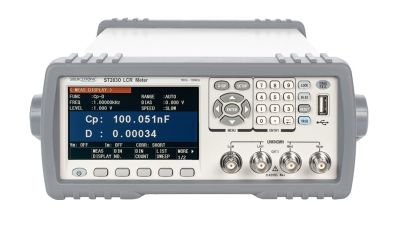
- Accuracy: 0.05%
- Frequency range: 50 Hz - 100 kHz
- Measuring speed: 13ms
- DCR: 0.00001 Ω - 99.9999 MΩ
- Resolution: 6 digits
- Display: Colour TFT 4.3"
- Interfaces: USB, RS232, handler, optional: GPIB
- Extra: ST®Meter 4.0 software, incl. accessories
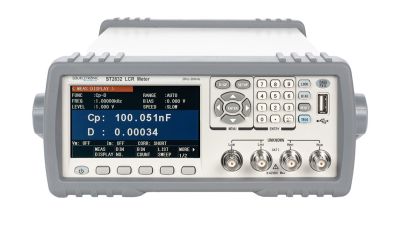
- Accuracy: 0.05%
- Frequency range: 20 Hz - 200 kHz
- Measuring speed: 13ms
- DCR: 0.00001 Ω - 99.9999 MΩ
- Resolution: 6 digits
- Display: Colour TFT 4.3"
- DC bias: ±5 V
- Interfaces: USB, RS232, Handler, optional: GPIB
- Extra: ST®Meter 4.0 software, incl. accessories
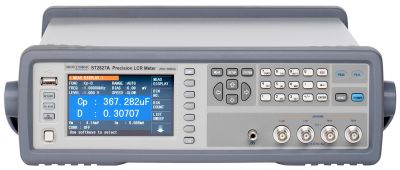
- Accuracy: 0.05%
- Frequency range: 20 Hz - 300 kHz
- Measuring speed: 13ms
- DCR: 0.00001 Ω - 99.9999 MΩ
- Resolution: 6 digits
- Display: Colour TFT 4.3"
- Interfaces: USB, LAN, RS232C, handler, optional: GPIB
- DC bias: ±5 V
- Extra: ST®Meter 4.0 software, transformer measurement (2W), incl. accessories
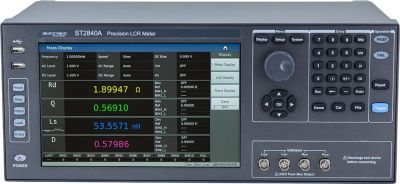
- Accuracy: 0.05%
- Frequency range: 20 Hz - 500 kHz
- Measurement speed: < 1ms
- DCR: 0.00001 Ω ~ 99.9999 MΩ
- Resolution: 6 digits
- Display: Touch colour TFT 10.1"
- Interfaces: USB, LAN, RS232C, Handler
- DC bias: ±40 V
- Extra: ST®Meter 4.0 software, signal level 20 Vrms; Linux-based system, incl. accessories
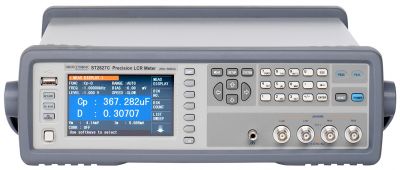
- Accuracy: 0.05%
- Frequency range: 20 Hz - 1 MHz
- Measuring speed: 13ms
- DCR: 0.00001 Ω ~ 99.9999 MΩ
- Resolution: 6 digits
- Display: Colour TFT
- DC bias: ±5 V
- Interfaces: USB, LAN, RS232C, Handler, optional: GPIB
- Extra: ST®Meter 4.0 software, transformer measurement (2W), incl. accessories
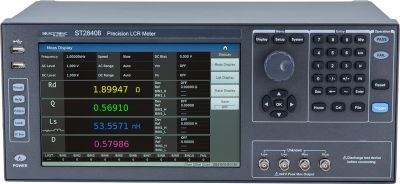
- Accuracy: 0.05%
- Frequency range: 20 Hz - 2 MHz
- Measurement speed: < 1ms
- DCR: 0.00001 Ω ~ 99.9999 MΩ
- Resolution: 6 digits
- Display: Touch colour TFT 10.1"
- DC bias: ±40 V
- Interfaces: USB, LAN, RS232C, Handler
- Extra: ST®Meter 4.0 software, signal level 20 Vrms; Linux-based system, incl. accessories
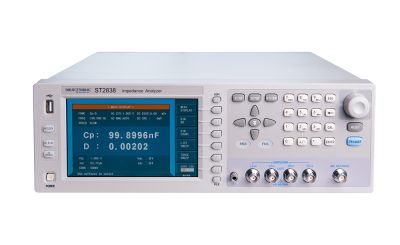
- Accuracy: 0.05%
- Frequency range: 20 Hz - 2 MHz
- Measuring speed: 5.6ms
- DCR: 0.00001 Ω - 99.9999 MΩ
- Resolution: 6 digits
- Display: Colour TFT 7"
- Interfaces: USB, LAN, GPIB, RS232, Handler
- Extra: High accuracy, 4TP, DC bias: ±40 V, signal level 20 Vrms, incl. accessories
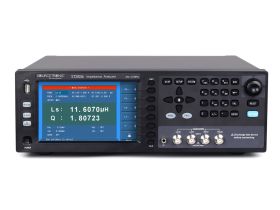
- Accuracy: 0.05%
- Frequency range: 4 Hz - 8.5 MHz
- Measuring speed: 5.6ms
- DCR: 0.00001 Ω - 99.9999 MΩ
- Resolution: 6 digits
- Display: Color TFT 7”
- DC bias: ±10 V
- Interfaces: USB, LAN, RS232C, Handler, optional: GPIB
- Extra: incl. accessories
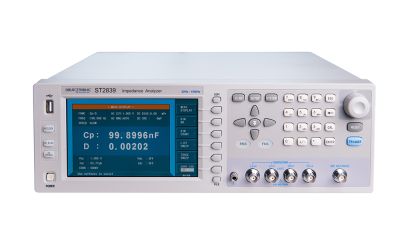
- Accuracy: 0.05%
- Frequency range: 20 Hz - 10 MHz
- Measuring speed: 7.7ms
- DCR: 0.00001 Ω - 99.9999 MΩ
- Resolution: 6 digits
- Display: Colour TFT 7"
- DC bias: ±40 V
- Interfaces: USB, LAN, GPIB, RS232, Handler
- Extra: High accuracy, 4TP, DC bias: ±40 V, incl. accessorie
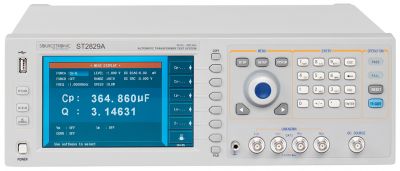
- Accuracy: 0.05%
- Frequency range: 20 Hz - 300 kHz
- Measuring speed: 9ms
- DCR: 0.00001 Ω ~ 99.9999 MΩ
- Resolution: 6 digits
- Display: 7" LCD colour display
- Interfaces: USB, RS232C, Handler
- DC bias: ±10 V
- Extra: ST®Meter 4.0 software, incl. accessories
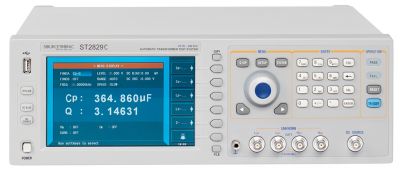
- Accuracy: 0.05%
- Frequency range: 20 Hz - 1 MHz
- Measuring speed: 9ms
- DCR: 0.00001 Ω ~ 99.9999 MΩ
- Resolution: 6 digits
- Display: 7" colour LCD display
- Interfaces: USB, RS232C, Handler
- DC bias: ±10 V
- Extra: ST®Meter 4.0 software, incl. accessories
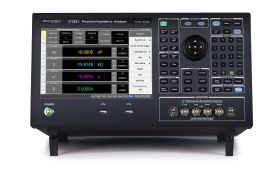
- Accuracy: 0.08%
- Frequency range: 10 Hz – 130 MHz
- Measurement speed: 5ms
- DCR: 0.00001 Ω – 99.9999 MΩ
- Resolution: 6 digits
- Display: 10.1” color touch TFT
- DC Bias: ±40 V
- Interfaces: USB, LAN, GPIB, RS232, Handler, VGA, HDMI
- Additional features: 4TP, wide frequency range, 0.08% from 10 kHz to 1 MHz, incl. accessories
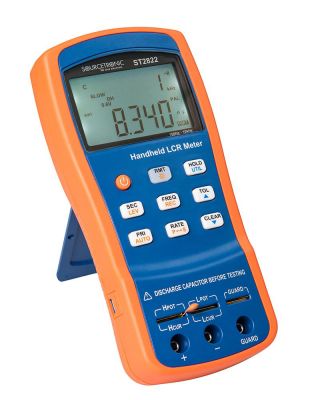
- Accuracy: 0.25%
- Frequency range: 100 Hz - 10 kHz
- Measuring speed: 250ms
- DCR: 0.0000 Ω - 20 MΩ
- Resolution: 4¾ digits
- Display: LCD Dual
- Interfaces: Mini-USB
- Extra: ST2822X software, incl. accessories
LCR meter determines inductive, capacitive, and ohmic resistances
Every component measuring device from the ST series can simultaneously be used as an ESR (Equivalent Series Resistance) multimeter. The special resolution with 6 digits and the programmable test voltage of 10V allow an exact determination of the capacitance of capacitors and the inductance of coils.
Via the standard RS232 interface as well as the 24-volt control interface or LAN or USB, every LCR meter can be controlled via PC or PLC. Thanks to the systematic command structure, you can integrate your LCR meter into LabView or test environments with existing software without much effort. You can read the measurement data on the large, brilliant display, which can be viewed from all angles, even from a distance. In addition to the stationary variant, Sourcetronic also produces the LCR meter as a mobile device in a robust design housing. Ideal for use in production and manufacturing as well as in universities, laboratories, and colleges.
Sourcetronic LCR Meter - Zero calibration
With an LCR meter, you can determine the impedances, i.e., the complex resistances, of two-terminal networks. LCR meters measure current, voltage, and phase shift and calculate from that the required LCR values, which can be represented in all possible forms (e.g. Z, R and X, series equivalent circuit Ls and Rs or parallel equivalent circuit Lp and Rp, etc.). There are handheld LCR meters, which are usually easy to use, and there are benchtop and laboratory LCR meters in various sizes and ranges from 1 kHz to 100 MHz and beyond.
How do I recognize the right LCR meter?
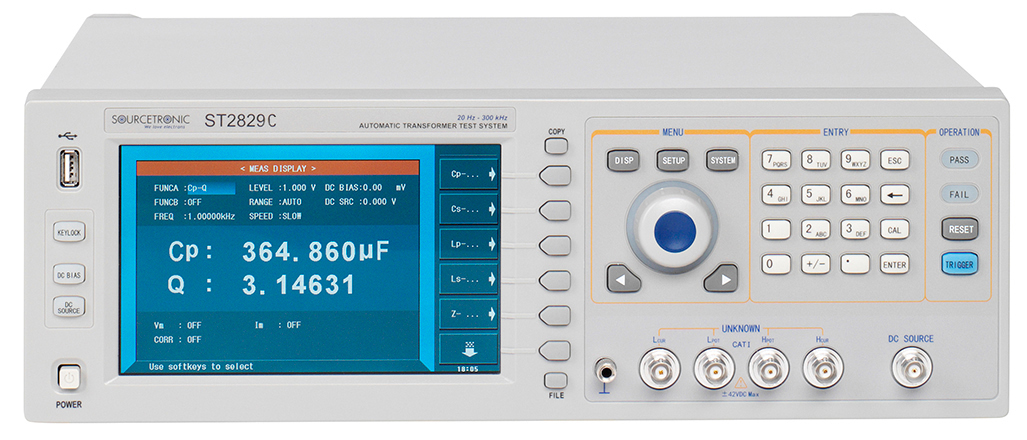
In addition to the measuring ranges to be determined, the frequency range must be specified in each case, which significantly influences the price of the devices. As a rule, you should measure your test specimens with the frequency at which they will later be operated. Moreover, LCR measuring bridges often have very helpful functions, such as the comparator function or the list sweep function. In the comparator mode, you can enter threshold values for the test specimens and the measuring device automatically evaluates to "GOOD" or "BAD" and can control a sorter with several compartments. The list sweep function offers the possibility to automatically test a specimen with different frequencies, similar to an impedance analyzer, with the exceptionally well-equipped ST2829 series even with a graphical frequency response display over up to 801 frequency points. All in all, an LCR meter is suitable for making direct and precise measurements of inductors, capacitors, and resistors under different test frequencies. The test range can be selected manually or automatically. The LCR meter can also be operated fully automatically, e.g. via the RS-232, USB, GPIB, LAN, or Handler interfaces. With a control software like our ST©Meter, the measurements can be logged and evaluated accordingly.
Not yet sure which LCR meter is the right one? Here you will find a detailed comparison of the functions and features of all Sourcetronic LCR meters.
Comparison of all Sourcetronic LCR meters
Not yet sure which LCR meter is the right one? Here you will find a detailed comparison of the functions and features of all Sourcetronic LCR meters.
| Model | Frequency range | Accuracy | Software | Included accessories | Extra |
|---|---|---|---|---|---|
| ST2822D | 100 Hz – 10 kHz | 0,10 % | 2822X | ✔ | Handheld |
| ST2822E | 100 Hz – 100 kHz | 0,10 % | 2822X | ✔ | Handheld |
| ST2830 | 50 Hz – 100 kHz | 0,05 % | ST®Meter 4.0 | ✔ | Compact |
| ST2832 | 20 Hz – 200 kHz | 0,05 % | ST®Meter 4.0 | ✔ | Compact |
| ST2827A | 20 Hz – 300 kHz | 0,05 % | ST®Meter 4.0 | ✔ | Transformer measurement (2W) |
| ST2840A | 20 Hz – 500 kHz | 0,05 % | ST®Meter 4.0 | ✔ | Signal level 20 Vrms, Linux-based system |
| ST2827C | 20 Hz – 1 MHz | 0,05 % | ST®Meter 4.0 | ✔ | Transformer measurement (2W) |
| ST2840B | 20 Hz – 2 MHz | 0,05 % | ST®Meter 4.0 | ✔ | Signal level 20 Vrms, Linux-based system |
| ST2838H | 20 Hz – 2 MHz | 0,05 % | On request | ✔ | Accuracy over a wide range, extended measurement range, 4TP, DC Bias: ±40 V, signal level 20 Vrms |
| ST2836 | 4 Hz – 8,5 MHz | 0,05 % | On request | ✔ | Wide range at low price |
| ST2839 | 20 Hz – 10 MHz | 0,05 % | On request | ✔ | Accuracy over a wide range, extended measurement range, 4TP, DC Bias: ±40 V |
| ST2851 | 10 Hz – 130 MHz | 0,08 % | On request | ✔ | Widest frequency range, 4TP |
Set parameters comfortably with the ST@Meter software
With the ST@Meter 4.0 software, important properties and settings can be transferred to the PC via RS232 or USB. The setting of the parameters can be conveniently carried out decentrally. The parameters include the measurement function, the display range and frequency, as well as the setting of the bias source, current and voltage levels, and the measurement speed.
Other important functions of the LCR meter
Further functions are data logging, as well as the "Frequency Sweep" function. Data logging simplifies the process of data acquisition. Here, the measured data can be pulled from the device in real time and clearly visualized in the ST@Meter software. A continuous data synchronization happens between the central and decentralized periphery. In this way, operators on site at the device and the staff in the control room can interact with each other quickly. Both the data logging and the frequency sweep function take over the evaluation of the acquired data for you and clearly display all decisive parameters in graphical or tabular form.
The comparator function is another important component of the Sourcetronic software package. This offers you the possibility to monitor up to 9 different measured values for limit violations. If the measured values you have set are fallen below or exceeded, the software detects an error. This is clearly indicated in the large overview. This gives you a complete production system with simple GOOD/BAD evaluation. In addition, it facilitates precise troubleshooting in the laboratory by immediately recognizing the smallest deviations. Downtimes and associated high costs can thus be prevented at an early stage. An example of a limit violation is shown in the following picture:
FAQ: Help and tips
In the following, you will find help and tips for Sourcetronic LCR meters, LCR measuring devices, and LCR measuring bridges - from general issues to specific questions about the individual device types, many of the most common questions are listed here:
Calculating the Quality Factor Q for Capacitors
I’m measuring a negative inductance. How is that possible?
Accurate measurement of inductors & capacitors, including their quality factor (Q)
What does error code E02 mean on the ST2822?
What do BIN NO. / BIN Count, List Sweep, and Trace Sweep mean on LCR meters?
What is null calibration and how do I perform it?
Can I set the null calibration on the LCR meter to a specific frequency?
What do I have to consider when using an LCR meter?
What is the difference between Ls and Lp? Which one should I choose?
What is the difference between FuncA and FuncB when setting measurement parameters?
What IP protection rating does your LCR Meter ST2830 have? Are there any installation recommendations?
How do I update the firmware on my Sourcetronic LCR meter?
To the overview: Measurement technology questions & tips